
Mario Artist: Communication Kit
Overview
Mario Artist: Communication Kit is the fourth and final entry in the Mario Artist series for the 64DD — Nintendo's magnetic-disk peripheral for the Nintendo 64. Where the other three titles (Paint Studio, Talent Studio, and Polygon Studio) were tools to make creations, Communication Kit is the title that lets you share them. It was Nintendo's first real foray into online community features for console games.
The software let players upload and download creations to and from the Randnet service, back up their work, and save still images grabbed from video using the Capture Cassette peripheral. A hidden secret menu also unlocks a stash of premade content downloadable to the other three Mario Artist games — including artwork from The Legend of Zelda: Majora's Mask.
Controls
In the Menus
| Action | Input |
|---|---|
| Move cursor | Control Stick / 64DD Mouse |
| Select icons / advance page | A Button / 64DD Left Mouse Button |
| Return page | B Button / 64DD Right Mouse Button |
| Move cursor to exit button | START Button |
| Toggle thumbnail loading during download | L Button |
| Act as A Button | Z Button |
In Capture de Asobu
| Action | Input |
|---|---|
| Change continuously | Control Stick |
| Change step-by-step | C Buttons |
| Return to icon selection screen | B Button |
| Save frame as image | R Button |
| Toggle between black-and-white and colour | Z Button |
Modes
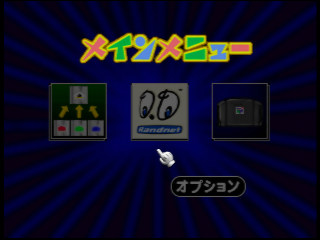
Communication Kit's main menu offers three primary modes:
- Save and Load (セーブ・ロード, Sēbu Rōdo) — backs up creations from the other Mario Artist games for use with Communication Kit, or transfers them between games.
- Net Studio (ネットスタジオ, Netto Sutajio) — shared creations with other Randnet users, downloaded their creations, sent creations to RandnetDD for printing, and participated in official events.
- Capture de Asobu (キャプチャーで遊ぶ, “Play with Capture”) — uses the Capture Cassette peripheral to play back video with a filter applied, and save individual frames as still images.
Net Studio — The Lost Online Service
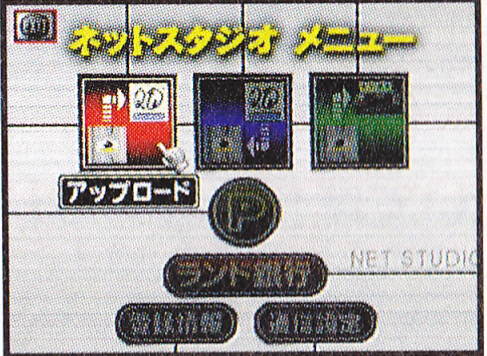
After connecting via Modem and signing in to Randnet, the user could access Upload (アップロード), Download (ダウンロード), and Print Service (プリントサービス) options.
The menu also allowed users to set up to five pen names for uploading creations, manage network settings, and purchase “Rand Cash” (ランドキャッシュ) — Randnet's in-service currency. A second version of Net Studio with a message board attached was accessible via the separate Randnet disk.
Print Service
Print Service was a Net Studio option that allowed users to pay to upload a creation to Randnet and have it printed and sent to them in the post. Users could choose to have a set of images printed as stickers, or have a 3D model created in Mario Artist: Polygon Studio turned into a papercraft kit. Yes, really.
Net Gallery
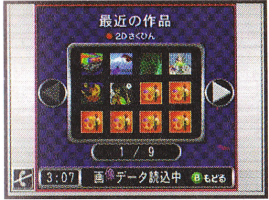
Net Gallery (ネットギャラリー, Netto Gyararī) was the public-facing menu inside Net Studio. In Download mode it served as a gallery of other users' creations; in Upload mode, users could give their creations a description, submit them for review by RandnetDD, then have them appear in the public gallery.
Kōkan Box
Kōkan Box (交換ボックス, “Exchange Box”) was a private sharing menu. When a creation was uploaded here, the system generated a creation ID and a password, which the uploader gave directly to the intended recipient. The creation was automatically removed from the system once it had been downloaded.
Events
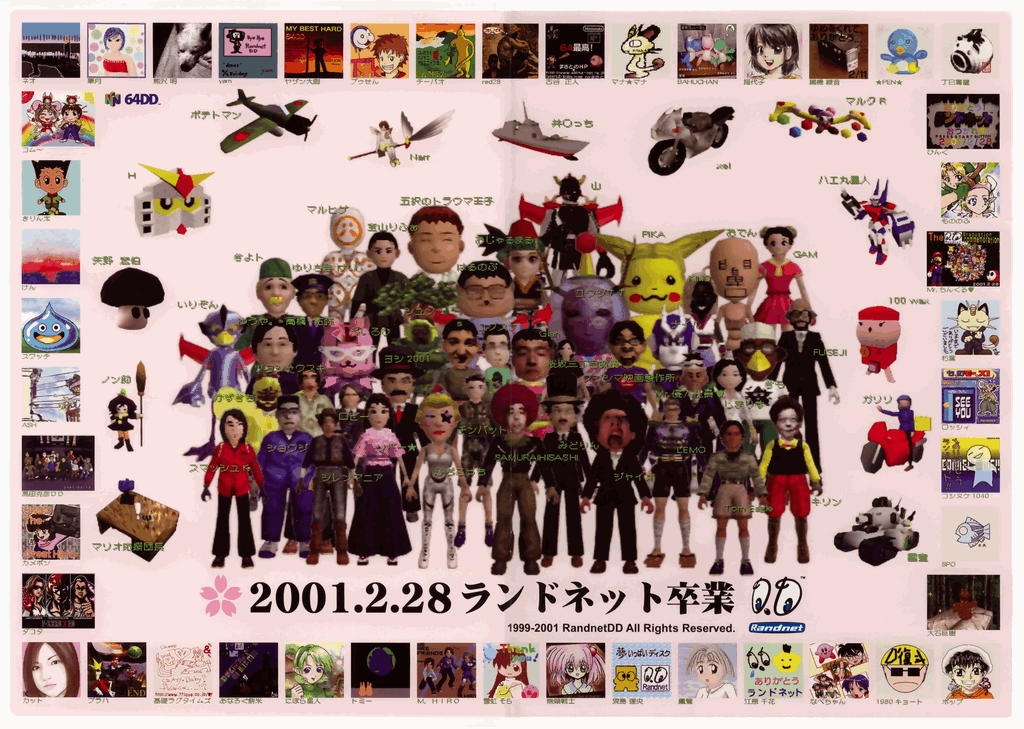
Event (イベント, Ibento) was a sub-menu of Net Studio that hosted official RandnetDD-organised events. Users could upload creations to compete in events or download featured and winning entries from past events. According to the game's manual, some events would have required paying to upload or download — though no such paid events ended up being hosted.
Only three events were ever hosted before Randnet's discontinuation:
Mario Artist Kōshien
Game Creator e no Chōsenjō
Sotsuyō Shashin & Yosegaki Tsukurō!
Capture de Asobu
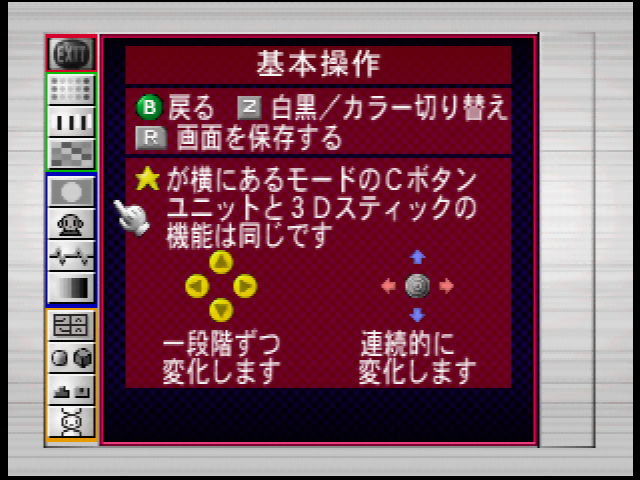
Capture de Asobu (“Play with Capture”) is accessible from the main menu when a device is connected to the Nintendo 64 via the Capture Cassette peripheral. In this mode the player can pick one of eleven effects to apply over a video feed, then save a still image from any frame they want.
The Z Button toggles between full colour and black-and-white output; the R Button captures the current frame as a still image and pipes it to Save and Load for use in the other Mario Artist titles.
Omake no Sakuhin — The Hidden Menu
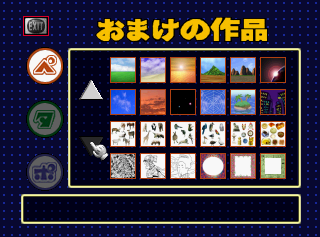
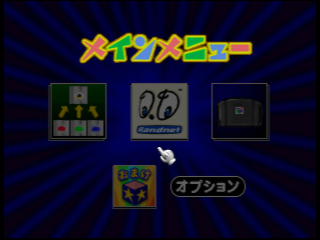
Omake no Sakuhin (おまけの作品, “Bonus Works”) is a hidden menu accessible from the main menu. Its icon sits in the bottom of the screen next to the settings button and is only visible when the cursor hovers over it — you have to know where to look.
Once accessed, the player can download to Save and Load a collection of premade creations for all three Mario Artist games. The downloadable content famously includes artwork from The Legend of Zelda: Majora's Mask — a Zelda cameo hidden inside a Mario Artist title is the kind of crossover only a 64DD oddity could deliver.
Pre-release & Unused Content
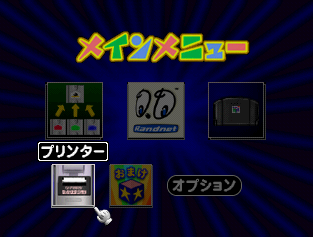
The Game Boy Printer would have been able to connect to Mario Artist: Communication Kit via the unreleased 64GB Cable peripheral. Once connected, a new Printer (プリンター) option would have appeared in the main menu.
This menu would have allowed the user to print saved images in different orientations, split images, and adjust paper colour, brightness, and contrast. It also supports an unreleased “Game Boy Printer Color” peripheral, with additional settings for brightness, contrast, and hue.
Neither the 64GB Cable nor the Game Boy Printer Color was ever released — making this menu pure ghost functionality, complete but unreachable.
Gallery
Cover Art (alternate)
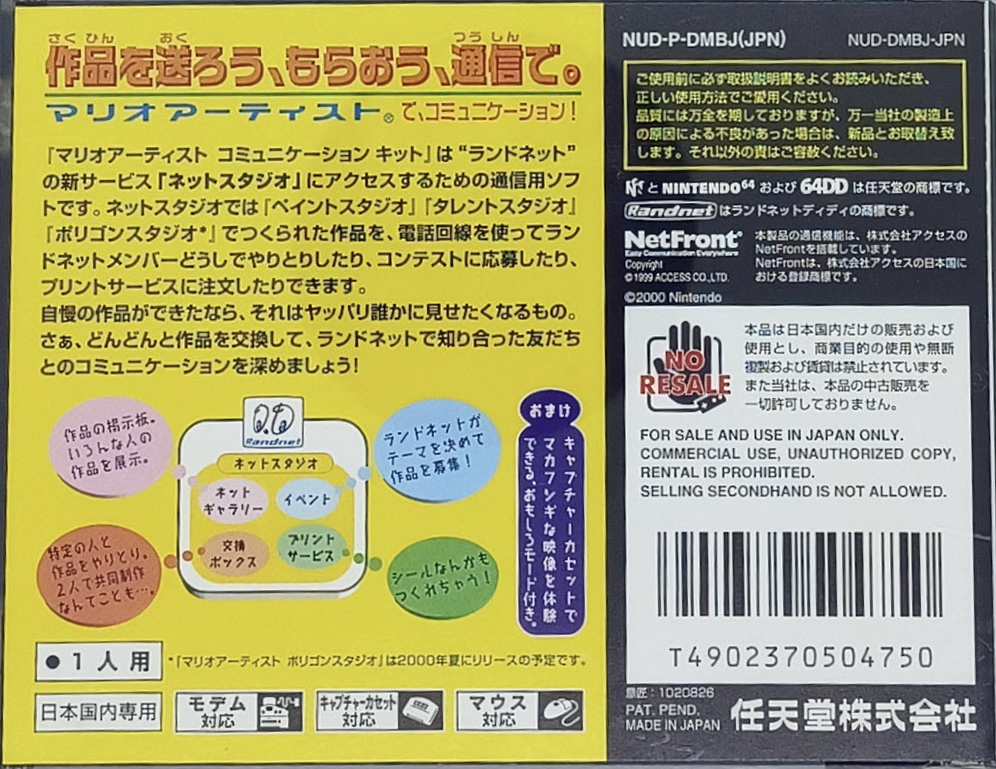
Back Cover
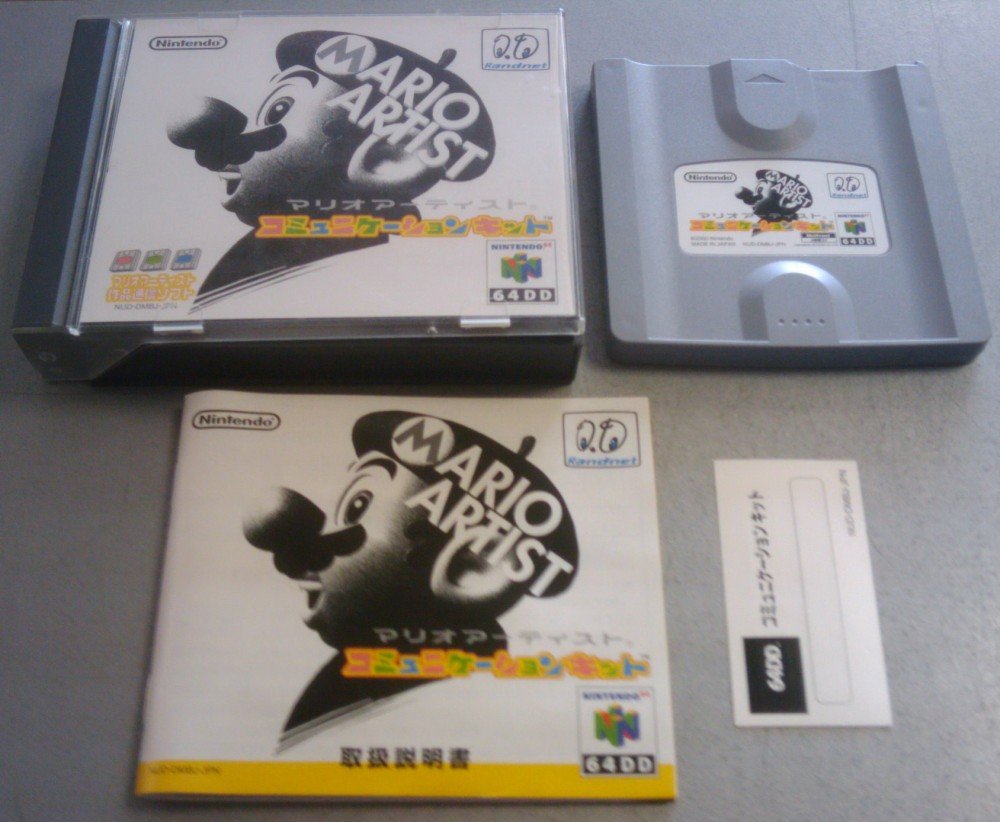
Package Contents
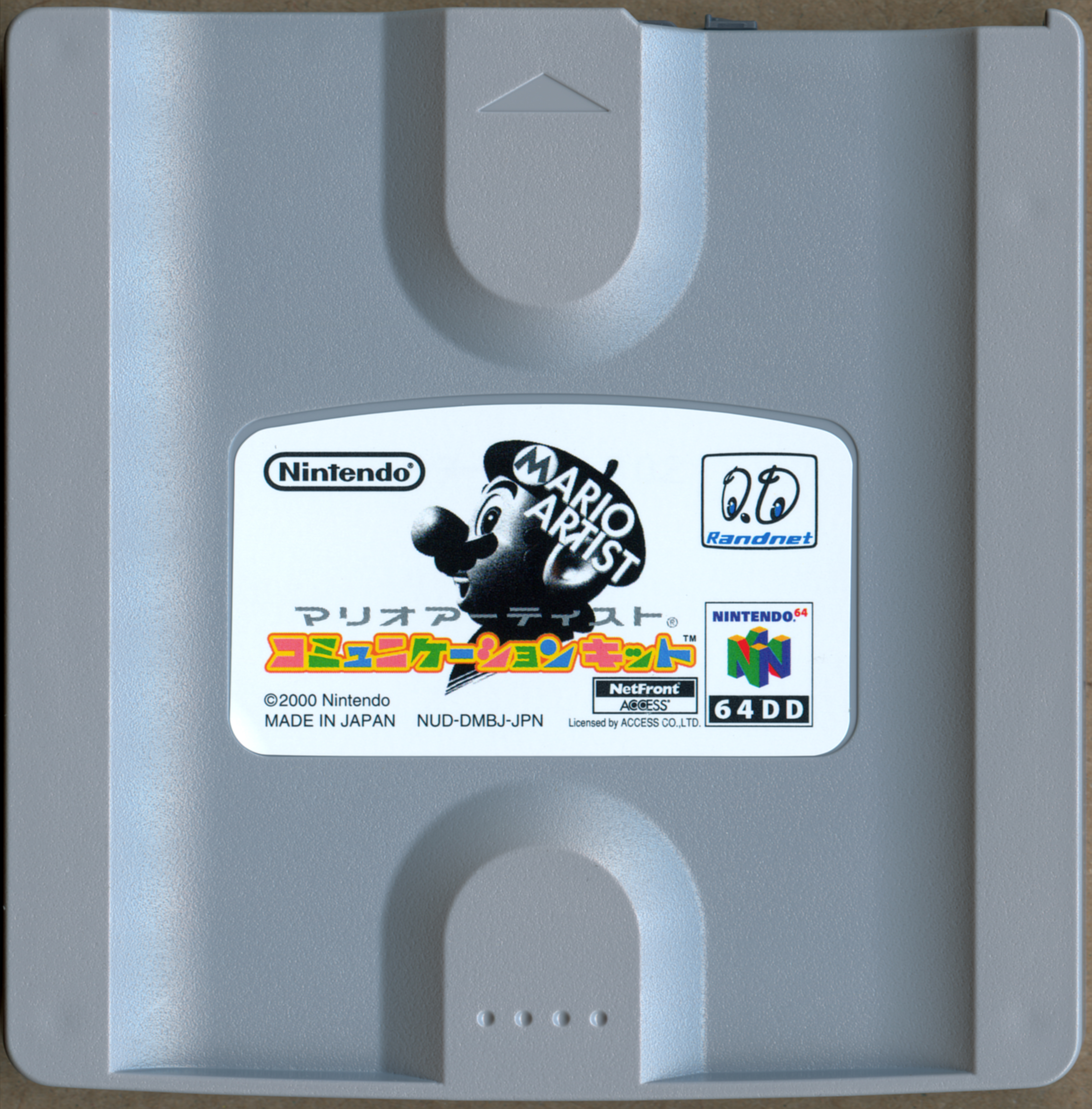
Game Drive (Disk)
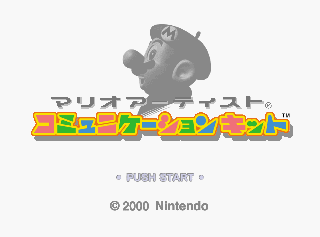
Title Screen
Main Menu (with Omake icon)
References to Other Games
The Legend of Zelda: Majora's Mask
Artwork of characters from The Legend of Zelda: Majora's Mask can be downloaded from Omake no Sakuhin for use in Mario Artist: Paint Studio. This means players could decorate their Mario Artist creations with official Zelda art — the only known crossover content in the Mario Artist series.
Trivia
- Released on the same day as Mario Artist: Polygon Studio (27 June 2000) — both being the final Mario Artist titles.
- Was one of the very few 64DD titles to make use of the 64DD's Modem peripheral (the others being the Randnet disk and SimCity 64).
- The Randnet service lifecycle was painfully short: launched December 1999, shut down 28 February 2001 — roughly 14 months total. Communication Kit launched with only eight months left on the service.
- The Kōshien name for the Mario Artist competition references Japan's national high-school baseball championship — a clever bit of branding implying nationwide amateur competition.
- The Mario Artist Kōshien grand prize included a trip to Hollywood; how that translated to actual Hollywood experience is unclear, but Nintendo of Japan really did fly winning amateur artists to California.
- Print Service's papercraft option turned 3D models created in Polygon Studio into mailable kits — effectively an early consumer 3D-printing concept, but delivered as flat sheets.
- The 64DD's unique magneto-optical drive allowed Communication Kit to save creations directly to the same disk — one of the few consoles ever to ship with native rewritable game storage.
- Communication Kit's Save and Load was effectively a cross-game save manager, two decades before the Switch made cross-game saves standard practice.
- The Game Boy Printer support in the code is fully implemented — the menu was complete and just waiting for the 64GB Cable that never shipped.
- The Sotsugyō Shashin event was a deliberate farewell: Randnet knew it was closing, and the “graduation photo” was a goodbye gift to subscribers. Touching, in a corporate-Japan kind of way.
- The Cutting Room Floor has documented Communication Kit's unused content, including the Game Boy Printer menu — one of the better-preserved looks at 64DD pre-release content.
- The Japanese title is マリオアーティスト コミュニケーションキット (Mario Ātisuto: Komyunikēshon Kitto) — a direct katakana transliteration of the English title.